

Zeus · Enterprise employee experience
One workplace. A more meaningful workday.
Reimagining the employee portal as a personalized daily workspace for 4,000 employees.
- Product
- Zeus, a personalized employee workspace
- Role
- Individual designer, end to end
- Audience
- About 4,000 employees (intended)
- Users
- Employees · Managers · Admins · Super admins
- Team
- Product managers · Engineering
- Deliverables
- Wireframes · Concepts · Hi-fi UI · Prototype
- Status
- High-fidelity design and interactive prototype
01
Every workday starts somewhere
For 4,000 employees, that somewhere should be one page that already knows what they need.
Company news, personal tasks, approvals and a dozen internal portals all compete for the same first few minutes of the day. Zeus turns the employee portal into a personal starting point, not another place to search.
My brief was to redesign and simplify the workflows behind the portal, so everyday tasks become clearer and easier to complete. I started from the existing designs: what people already relied on, and what made the day harder to start.
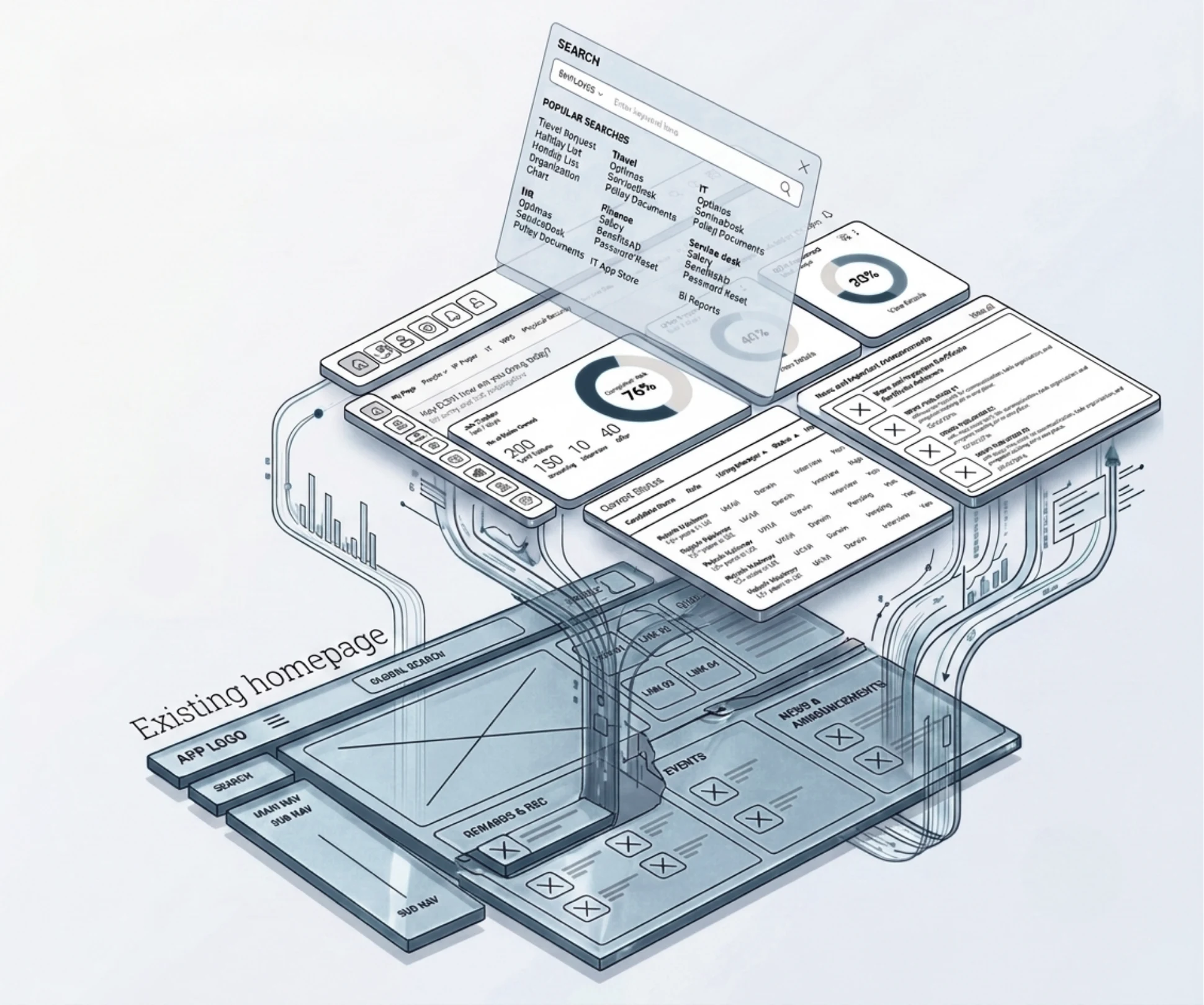
The question
How do you show each person what matters today, without adding to the noise?
02
What the research said
Research and validation shaped the work at more than one stage.
I ran and synthesised user and stakeholder interviews to find where workflows slowed people down, tested which assumptions held, and turned what I learned into design recommendations. That research shaped the structure, the role-based experiences and the high-fidelity design.
Research with users pointed to four problems in the existing system:
- Hard-to-follow flows. People were confused by the current user flows and struggled to get through their everyday tasks.
- Too complicated. Simple, routine actions took more steps and effort than they should.
- Crowded screens. Pages were cluttered, so nothing important stood out.
- Platform limits. The low-code, no-code platform restricted how flows could be designed, so the right journeys couldn’t be built.
03
Four kinds of workday
One portal, four very different days.
- EmployeesTheir day: updates, events and their own tasks.
- ManagersTheir team: actions and approvals waiting on them.
- AdministratorsTheir content: what gets published, and to whom.
- Super administratorsThe platform: roles, access and settings.
04
Five rules for every screen
Before drawing anything, I set the rules every screen had to pass.
- 01Relevant firstOnly what applies to you.
- 02Calm by defaultFewer modules, clear order.
- 03Built for every roleSame foundation, tuned content.
- 04Motivating, quietlyLight gamification, never a distraction.
- 05Ready to growModules that new services slot into.
05
From old screens to Zeus
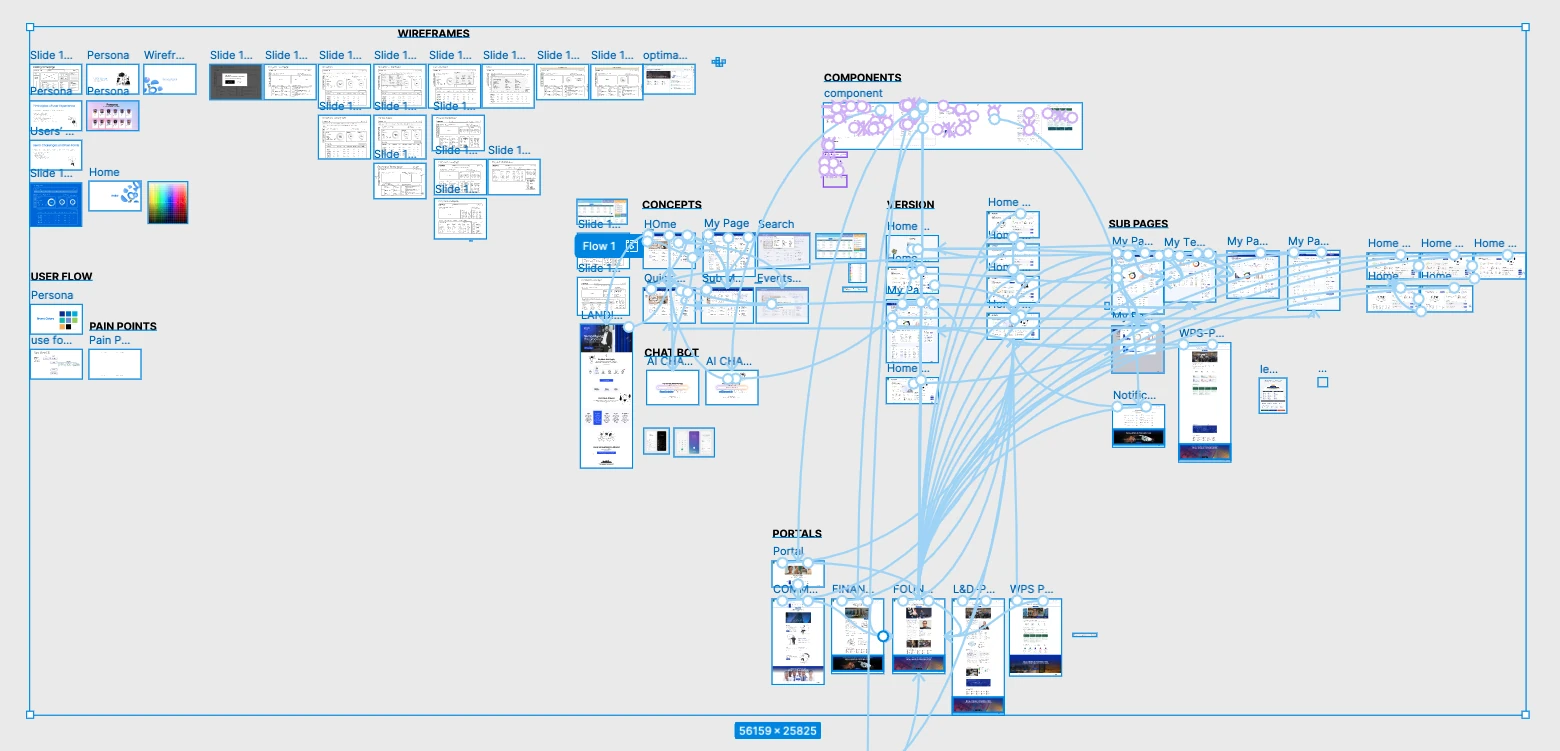
Five steps, each one tested against the five rules.
- 01Old designs as reference
- 02Wireframes
- 03Concepts
- 04High fidelity
- 05Prototype
A few wireframes set the structure, concept designs explored the look, and the high-fidelity screens brought both together.
I worked hands-on, end to end, and partnered with product managers and engineering to align on decisions, clarify requirements and move the design toward implementation.
Prototyping
06
A day with Zeus
From the first visit to the hardest question, every moment has a home.
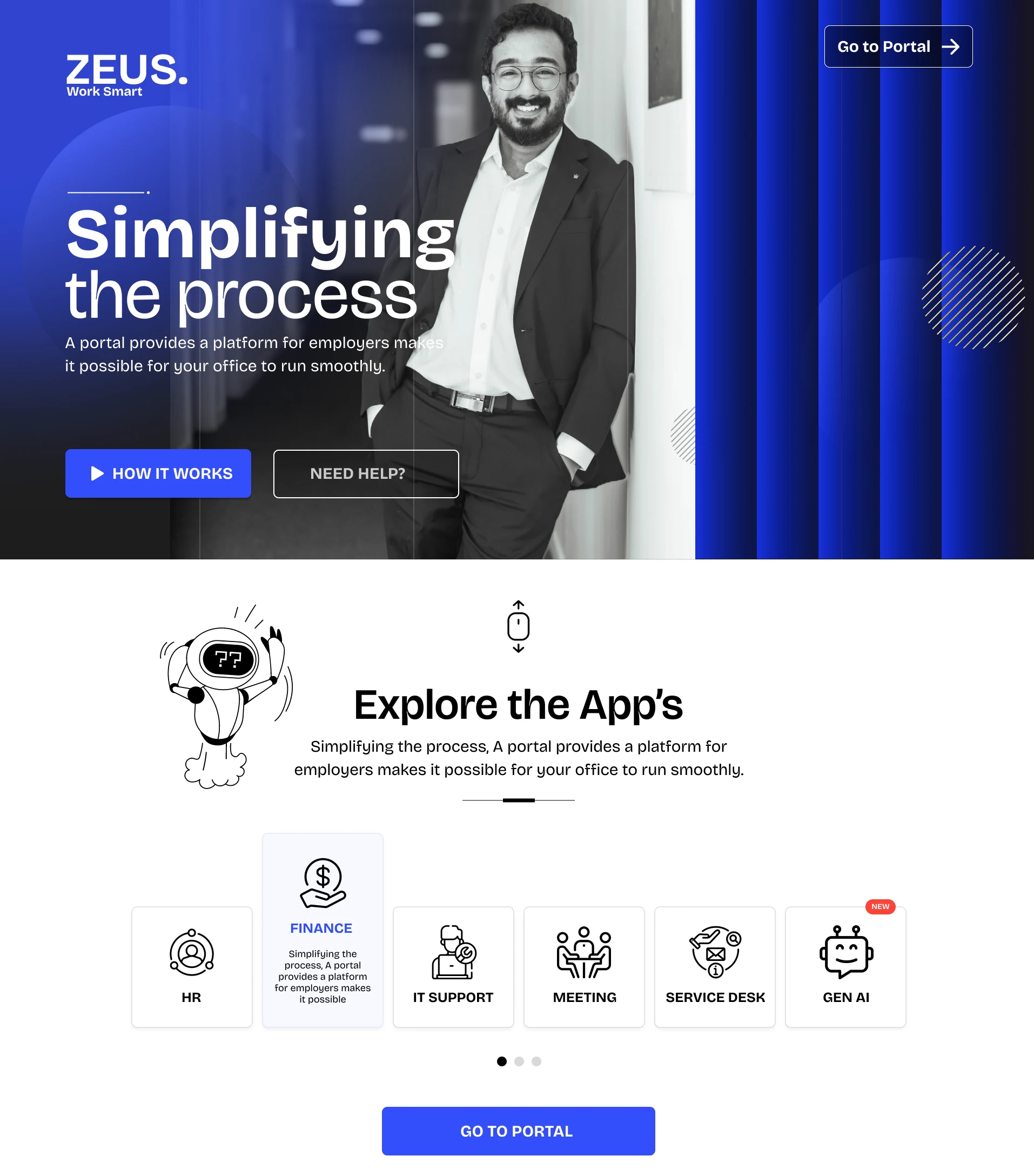
1New here? Zeus introduces itself
A landing page walks new users through what Zeus is and what it does for them, before they ever see a dashboard.
2You open it, and today is already there
The home page leads with what is relevant to you: company events and updates, your tasks and action items, and content for your role, in an order you can scan in seconds. A pending approval never hides behind an announcement.
3Every business unit, one familiar layout
Each business unit has its own portal inside Zeus. They share one structure and navigation, so moving between them feels like turning a page, not switching apps.
4Ask, instead of searching
When the answer isn’t on the page, the Zeus AI assistant gives people a place to ask in plain language.
07
Same workspace, different day
The foundation stays the same; what you see changes with your role.
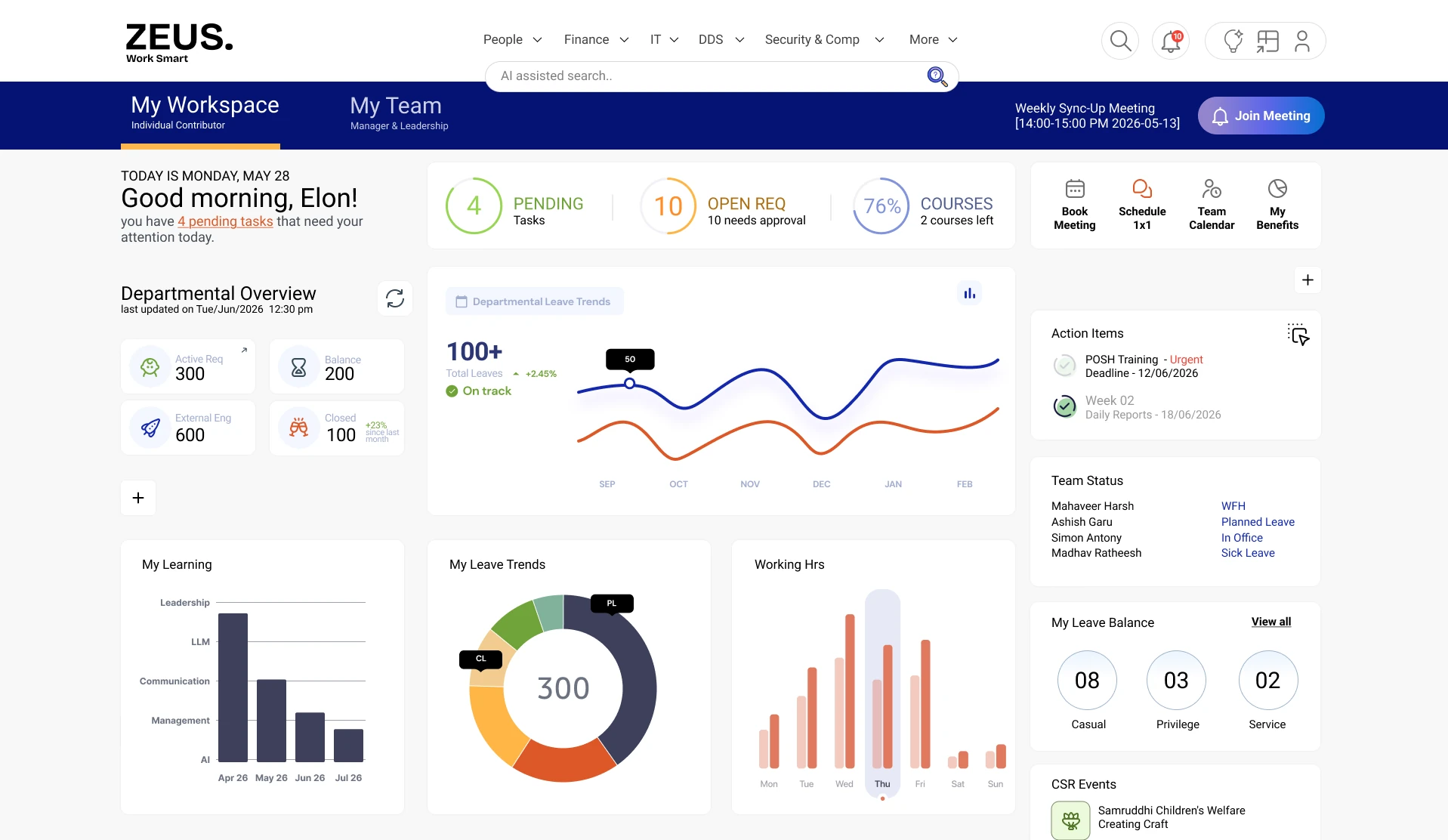
Managers get a dedicated dashboard for their team’s work and the actions waiting on them, built from the same components as everyone else’s home. Administrators and super administrators manage content, access and settings through role-based permissions.
08
Calm, spacious, built to scale
A clean visual language that makes scanning effortless, and grows without a redesign.
Inspired by the clarity and spaciousness of One UI’s principles: generous space, strong hierarchy, and friendly, rounded components. Every page, from the home to the business unit portals, is assembled from the same modular pieces, so new content and services slot in cleanly.
A simpler screen helps one team; a shared pattern helps every portal with the same problem. Alongside the screens, I contributed design-system patterns and reusable guidance, so every new page and business unit stays consistent.
09
The calls that shaped it
Every design is a set of choices. These were the big four.
- A curated home, not a feed of everything.Relevance was the first rule. Showing less, in a clear order, makes the page faster to scan and easier to trust.
- Tasks and actions get their own space on the home page.The things people need to do should never compete with the things they might like to read.
- One layout for every business unit, instead of separate designs.A shared structure keeps navigation consistent and lets new units join without a redesign.
- One workspace that adapts by role, not four portals.Role-based access gives each group what they need while keeping a single product to learn and maintain.
10
Where it stands
Designed, prototyped and ready for the next step.
Delivered
- Wireframes and concept designs
- Onboarding landing page
- Home and manager dashboard
- Business unit portal pages
- AI assistant page
- Interactive prototype
Designed to
- Give everyone one place to start the day
- Cut the noise
- Make tasks easy to find
- Fit every role and business unit
The hardest part wasn’t any single screen. It was deciding what to leave off the first one.